


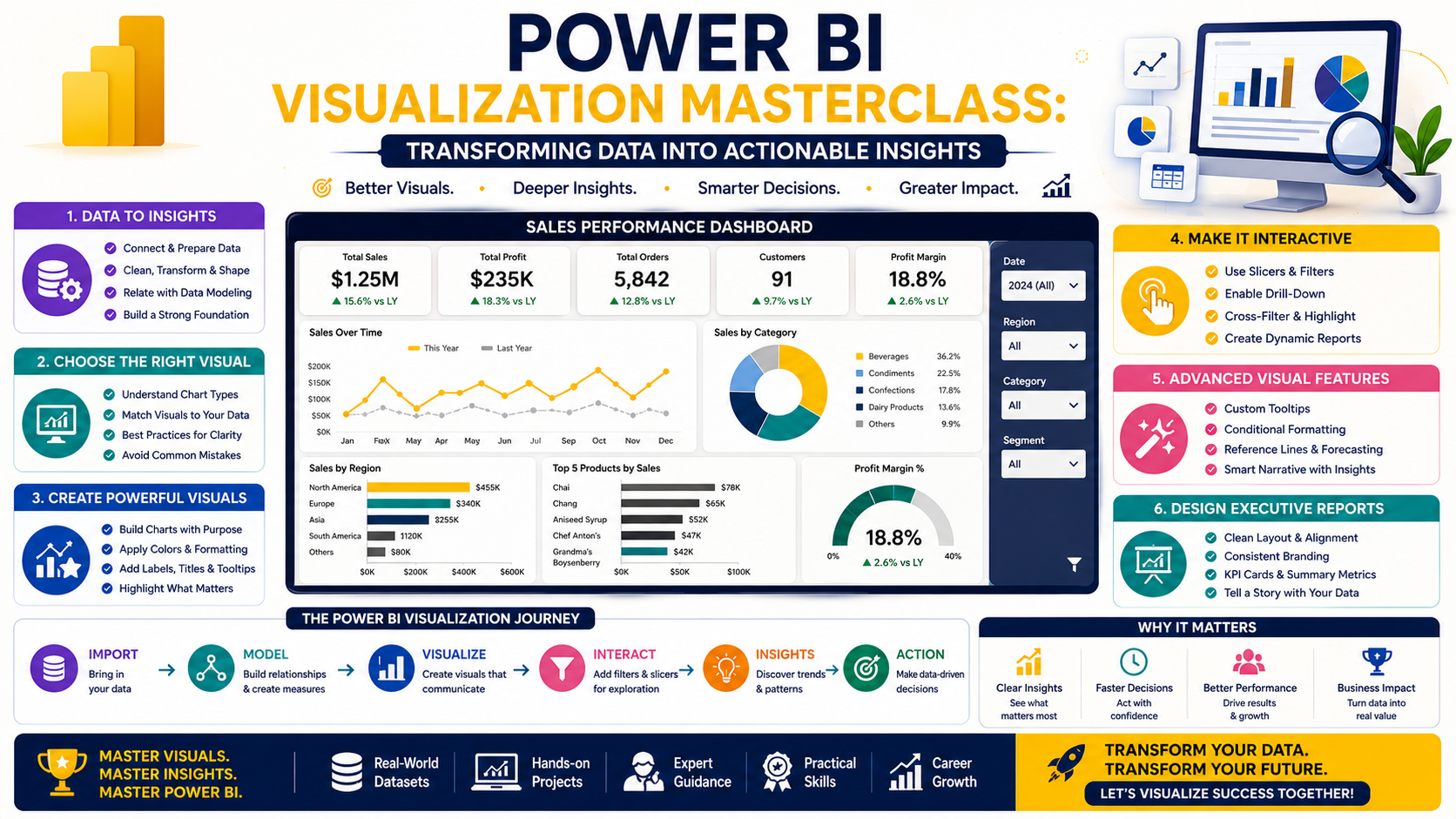
Data becomes valuable only when people can understand it.
In this week's Team Academy Power BI session, participants advanced their Business Intelligence skills by learning how to create powerful visual reports and interactive dashboards using the Northwind Traders dataset.
From geographical analysis and employee performance tracking to advanced drill-through reports and matrix visualizations, learners explored the techniques used by professional analysts to turn raw data into meaningful business insights.
🌍 Bringing Data to Life with Geographical Analysis
One of the session's highlights was learning how to visualize business performance geographically using Power BI Maps.
Participants explored how to:
✅ Display sales and operational data by country
✅ Visualize performance using dynamic map bubbles
✅ Compare regions and territories
✅ Identify geographic trends quickly
Geographical analysis helps decision-makers understand where opportunities and challenges exist across different markets.
🎯 Mastering Interactive Slicers
Interactive reporting is one of Power BI's greatest strengths.
Participants learned how to create and configure:
-
Date slicers
-
Search slicers
-
Dropdown filters
-
Interactive report controls
The session emphasized the importance of creating user-friendly dashboards that allow stakeholders to explore data independently without requiring technical expertise.
🔍 Drill-Through Reports for Deeper Insights
Modern executives often need to move from summary information to detailed analysis instantly.
The class covered:
-
Creating drill-through pages
-
Configuring drill-through filters
-
Navigating between summary and detail reports
-
Improving dashboard usability
This functionality enables users to investigate trends and anomalies without leaving the report environment.
📈 Advanced Data Visualization Techniques
Participants explored multiple visualization types and learned when each should be used.
📊 Line Charts
Perfect for trend analysis over time.
🎯 Scatter Charts
Useful for comparing performance across multiple dimensions.
📉 Funnel Charts
Ideal for ranking and comparing performance metrics.
📋 Matrix Visualizations
Excellent for detailed reporting and operational analysis.
The focus was not only on building charts but also on selecting the right visual for the right business question.
🧠 Data Modeling: The Foundation of AI and Analytics
An important discussion centered around the role of data modeling in analytics and AI.
Participants learned that before organizations can successfully implement AI-driven analysis, they need:
✔ Clean Data
✔ Structured Relationships
✔ Semantic Models
✔ Reliable Business Logic
Whether using Power BI, AI tools, or advanced forecasting solutions, strong data modeling remains the foundation of intelligent decision-making.
👥 Employee Performance Analysis Dashboard
The session included a hands-on exercise focused on employee performance analysis.
Learners created:
-
DAX measures
-
KPI calculations
-
Gauge charts
-
Combo charts
-
Performance comparison reports
By combining sales figures and operational metrics, participants developed dashboards capable of monitoring workforce performance effectively.
🚚 Shipment & Logistics Reporting
The training also covered shipment analysis reporting using:
Tree Maps
For visualizing shipment distribution.
Matrix Reports
For detailed country and shipper analysis.
Freight Analysis
Using sum and average calculations to evaluate logistics performance.
Participants learned how to combine multiple visuals to create comprehensive operational dashboards.
🎨 Enhancing Dashboards with Professional Formatting
A dashboard's effectiveness depends not only on its data but also on its presentation.
The session covered:
-
Conditional formatting
-
Red-Amber-Green indicators
-
Data labels
-
Custom images
-
Tooltips
-
Visual alignment
These enhancements help transform reports into executive-ready dashboards that are both informative and visually appealing.
🚀 Why Visualization Skills Matter
Today's organizations generate enormous volumes of data.
Professionals who can:
📊 Build Interactive Dashboards
📈 Create Business KPIs
🌍 Perform Geographical Analysis
🔍 Develop Drill-Through Reports
🎯 Design Executive Visualizations
are increasingly valuable across every industry.
Power BI visualization skills bridge the gap between data and decision-making.
📅 What's Next?
Participants have been assigned to complete:
✅ Product Analysis Reports
✅ Category Analysis Dashboards
✅ Additional Visual Formatting Exercises
Upcoming sessions will focus on:
-
Advanced DAX Formulas
-
KPI Development
-
Final Dashboard Creation
These activities will bring together all the concepts learned throughout the program into complete business intelligence solutions.
🎯 Ready to Become a Power BI Expert?
At Team Academy, we focus on practical learning that prepares professionals for real business challenges.
Learn How To:
📊 Build Professional Dashboards
📈 Create Advanced KPIs
⚡ Master DAX Calculations
🌍 Develop Interactive Reports
🚀 Deliver Executive Insights
Join our Power BI programs and gain the skills needed to thrive in today's data-driven world.
📩 Contact Team Academy today to learn more about upcoming cohorts and certification pathways.


